Rosters You Can Defend
Every placement is backed by evaluation data, not gut feel, so decisions hold up when a parent asks why.
Build balanced teams and reach every family in minutes.
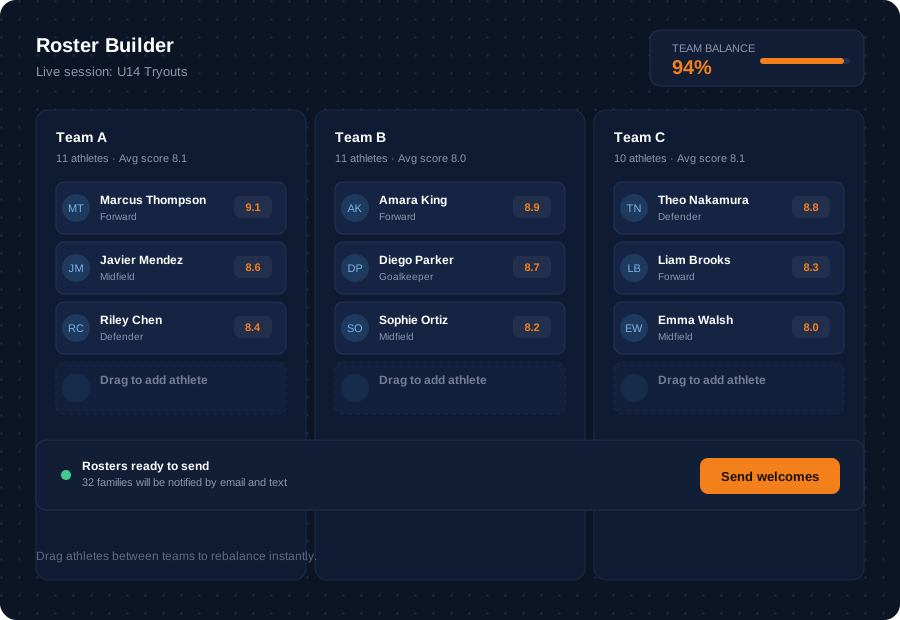
Drag athletes between teams using evaluation scores, position notes, and prior season data. TryoutOS is roster builder software that surfaces balance metrics in real time, so program leaders can defend every placement decision. Once rosters are set, send personalized welcome emails or texts to every athlete and family in one click, with no copying spreadsheets into another communication tool.
BENEFITS
Every placement is backed by evaluation data, not gut feel, so decisions hold up when a parent asks why.
Roster and communication software in one place means no separate tool for sending welcome messages.
Teams move from tryout to roster to family notification without ever leaving TryoutOS.
FEATURES
Auto-suggest rosters using evaluator scores so skill is distributed evenly across teams.
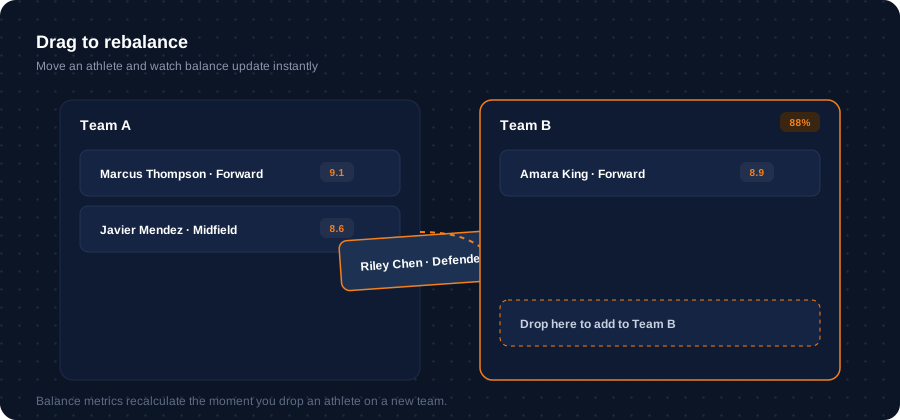
Override any suggestion with a simple drag and drop. Balance metrics recalculate instantly, so you always know how a change affects the whole team, not just the athlete you moved.
Track positions and roles specific to your sport, so no team is short a critical spot.
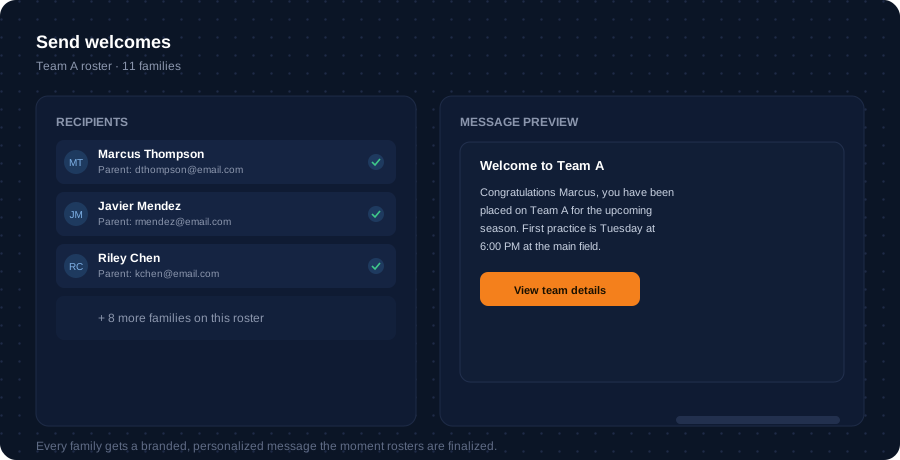
Once rosters are locked, send every family a personalized welcome message in one click. No exporting contact lists, no copying into a separate email tool.
IN PRACTICE
COMPARISON
See how a connected roster and communication platform compares to building teams by hand.
| Dimension | Manual process | TryoutOS |
|---|---|---|
| Team balance | Eyeballed from a printed list. | Auto-suggested from aggregated evaluation scores. |
| Adjustments | Retyped across multiple spreadsheet tabs. | Drag and drop, with balance metrics updating live. |
| Position coverage | Tracked manually, easy to miss a gap. | Flagged automatically per team. |
| Family notification | Separate email tool, copied contact lists. | Sent in one click from inside the platform. |
| Record of decisions | Lost after the season ends. | Stays attached to the athlete profile. |
FAQ
Roster builder software turns evaluation scores into suggested, balanced team rosters, then lets directors adjust and finalize them by hand. TryoutOS combines this with communication tools, so families are notified without leaving the platform.
TryoutOS suggests rosters using aggregated evaluator scores, distributing skill evenly across teams. Directors can override any suggestion with drag and drop.
Yes. Once rosters are set, TryoutOS sends personalized welcome emails or texts to every athlete and family in one click.
Yes. Positions and roles specific to your sport are tracked automatically, so no team ends up short a critical spot.
Roster Builder and Team Formation work together. Team Formation handles moving athletes from tryout scores into final rosters, while Roster Builder focuses on balancing those rosters and communicating with families once teams are set.
Build balanced rosters and send welcome messages in the same system where every athlete was evaluated.